The Log: One Record Everyone Can Replay
How an event log works from the ground up: an append-only record that keeps every event whether or not it was read, offsets and replay so each reader has its own bookmark, partitions for parallelism and in-order delivery, consumer groups for splitting work versus broadcasting, and what Apache Kafka actually does.
A from-the-ground-up look at the event log, the idea behind Apache Kafka. A log is append-only and keeps every record for a retention window whether or not anyone has read it, the opposite of a queue that empties. Each record has an offset, and every reader keeps its own offset, so a new service can replay from the beginning and a service that was down can catch up from where it left off. Partitions split the log so many producers and consumers work at once while order is kept within a partition, and consumer groups either split the work or each receive a full copy. Everyday analogies, a hand-drawn diagram, a visualizer per idea, and what Kafka really does.
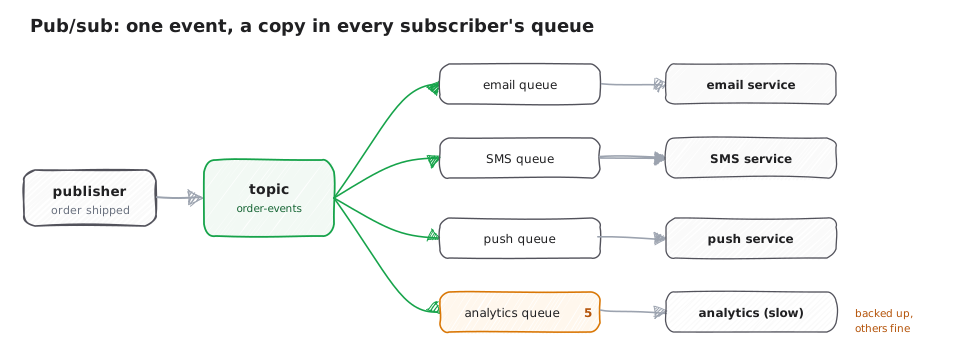
The previous piece was about pub/sub: a publisher posts one event to a topic and every subscriber gets its own copy, so several services can react to the same fact at once. But a pub/sub message is delivered once and then it is gone. This piece is about what you reach for when you want the opposite: a permanent, ordered record of every event that anyone can read back from any point.
Think of a security camera that records without stopping. Everything that happens is written down in the exact order it happened, and the recording is kept for a set number of days whether or not a single person ever watches it. The fraud team might be reviewing footage from yesterday, the live-monitoring team watches the newest frame as it comes in, and a team hired next month can rewind all the way to the start of the tape. No one watching does not erase anything; the tape only rolls off once it is older than the retention window.
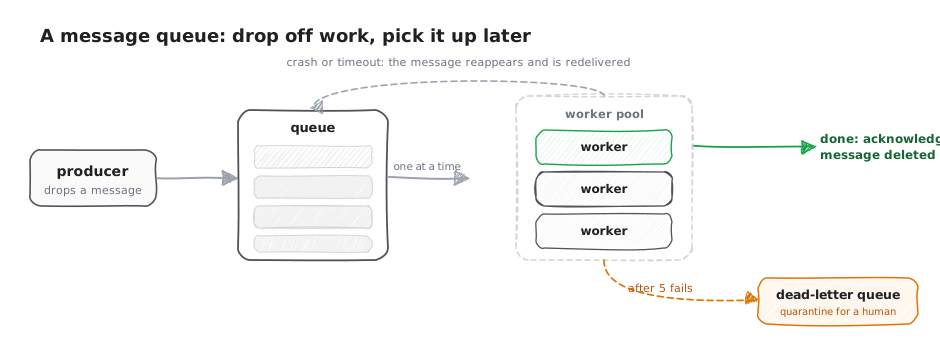
That recording is an event log. It is the shape behind Apache Kafka, and it is a very different thing from a queue. A queue is a to-do list: you take a note off it, you handle it, and it is gone. A log is the tape: it keeps everything, in order, and hands every reader their own place to read from.
A log that remembers
Start with the one difference that everything else follows from. A to-do list shrinks as you work through it: cross off a task and it is gone. A ship's logbook only ever grows: you write the next entry at the bottom, you never erase the ones above, and last week's entries are still there to read.
A log is an append-only sequence of records. New records are only ever added to the end, never inserted in
the middle and never removed by a reader. Each record is stamped with a number called its offset: the first
record is offset 0, the next is 1, then 2, and so on, forever climbing. The crucial part, and the whole
reason to use a log, is this: the log keeps every record for a fixed retention window whether or not anyone
has read it. Reading a record does not delete it. In Kafka's own words, the cluster "retains all published
records, whether or not they have been consumed," for a configurable period. By default that window is seven
days (the retention.ms setting, which defaults to 604800000 milliseconds), after which the oldest records
roll off to free up space, exactly like the old end of a security tape.
Worked example. Your order service writes an "order placed" event to the log. It becomes offset 0. The next order is offset 1, a payment is offset 2, a shipment is offset 3. A week from now, offset 0 through 3 are all still sitting there, readable, even though the services that care about them read them within seconds. Compare that to a queue from the last two pieces: the moment a worker acknowledges a message, it is deleted. The log forgets nothing until the retention window passes.
Four events arrive. A queue and a log both store them, offsets 0 to 3.
Everyone reads at their own bookmark
Here is what "keeps everything" buys you. Picture one popular book and several readers, each with their own bookmark. One reader is on the latest page as the ink dries, another is a few chapters behind and catching up, and a brand-new reader just opened to page one. They all read the same book; each simply remembers their own spot.
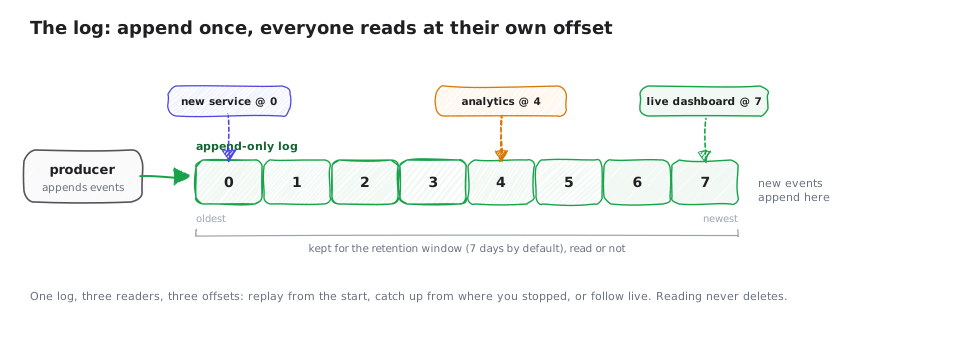
In a log, that spot is an offset, and every reader (Kafka calls a reader a consumer) keeps track of its own. The log does not push records at you and forget them; you pull records starting from an offset you control. Because the records are all still there, you can move your bookmark wherever you like. Set it to the newest record to read only what is happening now. Leave it where you last stopped to pick up exactly where you were. Reset it back to offset 0 to replay the entire history from the beginning.
Worked example. Three consumers read the same order log. The live dashboard sits at the newest offset, say 1000, showing orders as they land. An analytics job that was down for an hour is at offset 940 and grinding forward through the sixty records it missed, no data lost because nothing was deleted while it was away. And a brand-new fraud-detection service you deployed today sets its offset to 0 and replays all one thousand past orders to build its model, then follows along live. One log, three bookmarks, three completely different jobs.
One log, offsets 0 to 7. Three services will each read it at their own pace.
Split the log so many can work at once
One single log has a ceiling: everything is written to the end, one record after another, so there is a limit to how fast it can go. The fix is the same one a busy office uses for a giant ledger. Instead of one book that every clerk has to line up behind, you split it into several books, say one per customer, so several clerks can write at the same time. The catch you have to respect: to keep one customer's entries in order, all of that customer's entries must go in the same book.
A Kafka topic is split into partitions, and each partition is its own independent append-only log with its own offsets. Spreading records across partitions is what lets many producers write and many consumers read in parallel. The trade-off is the important part: Kafka guarantees order only within a partition, not across the whole topic. Records in one partition are read in the exact order they were written; records in two different partitions have no guaranteed order between them. To keep related events in order, you give each record a partition key, and every record with the same key lands in the same partition.
Worked example. You key order events by customer id. Every event for customer 42 hashes to, say, partition 2, so "order placed," then "payment taken," then "order shipped" for customer 42 all land in partition 2 in that order, and any consumer reading partition 2 sees them in that order. Meanwhile customer 99's events are in partition 0, being written and read at the same time, completely in parallel. What you do not get is a single global order across partition 0 and partition 2, and you did not need one: you only cared that each customer's own story stayed straight.
Order events arrive, each with a customer id as its key.
One team splits the work, many teams each get it all
The last idea ties the log back to the two patterns from the earlier pieces, and it is the neatest part. Think of those partitioned books again. One team of clerks can divide the books among themselves so each clerk handles a couple, and together they get through everything faster: that is splitting the work. But a second, separate team can read all the same books for its own purpose, keeping its own bookmarks, without touching the first team's progress: that is everyone getting a copy.
A consumer group is a named team of consumers reading a topic together. The rule is simple: within one group, each partition is handled by exactly one consumer, so the partitions are divided up and the group shares the load. Add a second group with a different name, and it independently reads every record for itself. In Kafka's own framing, if all your consumers share one group it "works just like a traditional queue balancing load over the consumers," and if each consumer is in its own group it "works like publish-subscribe and all records are broadcast to all consumers." So one log gives you both of the earlier patterns at once, chosen by how you group your readers.
Worked example. Your topic has three partitions. The billing group has three consumers, so each takes one partition and the three of them clear the stream three times faster: that is the work-queue behavior, split across the group. At the same time an analytics group of its own reads all three partitions for reporting, and a search-indexing group reads all three again to update the index. Billing, analytics, and search each see every order, because they are separate groups, while inside billing the load is shared. Distribute and broadcast, from the same log.
The topic has 3 partitions. The billing group has 3 consumers.
What actually runs
Apache Kafka is the log almost everyone means. A topic is split into partitions, each an append-only log of records stamped with offsets; the cluster keeps every record for the retention window (seven days by default) whether or not it was read; consumers track their own offsets and can replay; and consumer groups give you load-splitting or broadcast depending on how you name them. Partitions are also replicated across machines so the log survives a broker failing, which is what makes it safe to treat as the source of truth.
You rarely run Kafka by hand; each big cloud will run it for you.
Google Cloud Managed Service for Apache Kafka (generally available) runs the brokers, the partitions, and the replication for you, so you only set the cluster size. It is the same Kafka underneath: a topic is still made of partitions, and Google describes a partition in the words you would expect, "an ordered, immutable sequence of records" owned by one broker, with a replication factor for durability.
Amazon MSK (Amazon Managed Streaming for Apache Kafka) and Confluent Cloud (from Kafka's original creators) do the same job, the same managed Kafka, on AWS and as a standalone cloud service.
Amazon Kinesis Data Streams is AWS's own log-style stream with the same shape under different names: a stream is split into shards instead of partitions, records carry a sequence number instead of an offset, and readers can start from the oldest record or the newest.
The shape to remember: not a queue that empties as it is read, but a log that remembers, split into partitions for speed and in-order delivery, read by groups that either share the work or each take the whole stream.
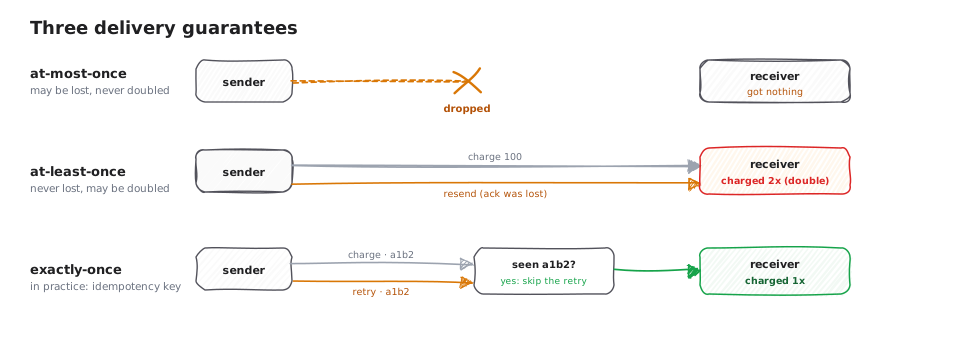
A log lets a consumer replay records, and replaying the same record twice is easy: just move your offset back. That raises the question this whole day has been circling. If a record can be delivered more than once, or a worker can crash halfway through handling one, how do you promise that an order is charged exactly once and never twice? That is the subject of the next and final piece: delivery guarantees, at-least-once versus exactly-once, idempotency, and ordering.
Sources: Apache Kafka documentation, introduction and design;
Kafka topic configuration (retention.ms);
Managed Service for Apache Kafka overview (Google Cloud).